

StoryboardHero is an AI Storyboard generator for video agencies and video creators. Drastically reduce the time needed to create concepts, scripts and ful

In the fast-paced world of video production, clear pre-production planning is the cornerstone of a successful project. However, translating scripts and ideas into compelling visuals via storyboards can be a time-consuming and resource-intensive process. This is where Storyboard Hero AI emerges as a revolutionary AI tool.
As a specialized AI storyboard generator, Storyboard Hero AI leverages Artificial Intelligence to streamline the creation of video concepts, scripts, and visually rich storyboards in minutes. If you’re a filmmaker, content creator, or agency exploring AI tools to enhance your visual storytelling workflow and accelerate pre-production in 2025, understanding Storyboard Hero AI is an essential step.
What is Storyboard Hero? Understanding the AI-Powered Pre-visualization Tool
In the dynamic world of visual media production, efficiency and creative innovation are paramount. Storyboard Hero emerges as a groundbreaking AI-powered pre-visualization tool designed to revolutionize the traditional storyboarding process. This innovative platform leverages artificial intelligence to streamline the journey from concept to visual script, offering significant time and cost savings for a wide array of professionals.
Check Price & TryStoryboard Hero for Free
Defining Storyboard Hero as an AI Platform for Visual Storytelling
At its core, Storyboard Hero is an AI platform for visual storytelling. It integrates advanced artificial intelligence algorithms with creative workflow, enabling users to swiftly generate detailed video concepts, scripts, and corresponding visual storyboards. The platform acts as a digital assistant, transforming initial ideas into a structured and visually coherent narrative, without requiring extensive graphic design skills or manual drawing for every frame.
Key functionalities that define Storyboard Hero as an AI-driven visual storytelling solution include:
-
AI-Powered Script Generation: Users can input brief ideas or concepts, and the AI will generate comprehensive scripts, often broken down into individual scenes with descriptions, actions, and even voice-over suggestions.
-
Automated Storyboard Visualization: Storyboard Hero translates these generated scripts into visual storyboard panels, allowing for immediate pre-visualization of projects. This can include AI-generated images for each scene, with options for various artistic styles like pencil sketches, vector art, or even anime.
-
Custom Image Generation: Beyond automated visuals, the platform offers the capability for custom image generation to fit specific scene requirements, and in some cases, provides options for hand-drawn images by professional artists for enhanced detail and consistency.
-
Branding and Export Capabilities: Professionals can export their completed storyboards as PDFs, often with customizable branding, ensuring a polished and professional presentation for clients or team members.
-
Collaborative Features: Many users benefit from its collaboration tools, which allow teams to share storyboard links, gather feedback, and iterate efficiently on projects.
What Storyboard Hero is Used For
The applications of Storyboard Hero span across various creative industries, proving indispensable for professionals seeking to accelerate their pre-production phase and enhance communication of their visual ideas.
-
Video Agencies: For video agencies, Storyboard Hero is invaluable for rapid video concept generation and client pitches. It allows agencies to quickly visualize and iterate on commercial ideas, explainer videos, or marketing campaigns, leading to faster client approvals and a more efficient production pipeline. The ability to customize branding on exported storyboards adds a professional touch to presentations.
-
Filmmakers: Filmmakers utilize Storyboard Hero to pre-visualize scenes and sequences for films, short films, and commercials. Directors can translate complex shot ideas into clear visual plans, experiment with camera angles and compositions, and ensure that the entire crew is aligned with the creative vision before shooting begins. This drastically reduces the time and cost associated with traditional storyboarding methods.
-
Content Creators: Independent content creators on platforms like YouTube, TikTok, and social media leverage Storyboard Hero to plan and organize their video content. From vlogs and tutorials to animated shorts, the tool helps them structure their narratives, visualize scene transitions, and maintain a consistent visual style, thereby enhancing the overall quality and engagement of their content.
-
Game Developers: In game development, Storyboard Hero is employed to map out narrative flows, cutscenes, and gameplay sequences. It assists in visualizing the player’s journey, character interactions, and environmental design within the game. This pre-visualization helps game designers identify potential issues early in the development cycle, refine game mechanics, and ensure a cohesive and immersive player experience.
In essence, Storyboard Hero empowers visual storytellers to transform abstract ideas into concrete, shareable visual plans, fostering greater efficiency, collaboration, and creative freedom across diverse media production landscapes.
How Storyboard Hero Works: The Process of AI-Guided Storyboard Creation
Storyboard Hero’s strength lies in its intuitive, AI-driven workflow that transforms initial ideas into comprehensive visual storyboards with remarkable speed and precision. This section delves into the step-by-step process, from generating concepts and scripts to visualizing them with AI and, when desired, refining them with human artistic input.

Check Price & TryStoryboard Hero for Free
Generating Concepts and Scripts with AI
The foundational step in using Storyboard Hero involves leveraging its artificial intelligence to craft compelling narratives and detailed scripts. This process is designed to be highly user-friendly, catering to both seasoned professionals and those new to scriptwriting.
Inputting Briefs/Ideas for AI Script Generation
Users initiate the process by providing a brief or a set of ideas. This input can range from a few keywords describing a desired video concept (e.g., “new helmet launch, safety features, thrilling ride”) to more detailed outlines of scenes or specific messaging. The AI analyzes this initial input to understand the core intent, target audience, and desired tone. It can also consider parameters like video duration, style, and type (e.g., explainer video, commercial, short film) to tailor the output.
AI-Powered Story Generation
Once the brief is provided, Storyboard Hero’s advanced AI algorithms take over, generating a structured script. This isn’t just raw text; the AI aims to create a comprehensive narrative broken down into distinct scenes. Each scene typically includes:
-
Scene Title: A concise name for the scene.
-
Description: A detailed explanation of what happens in the scene, including setting, character actions, and overall mood.
-
Action: Specific actions performed by characters or objects within the scene.
-
Voice-over (optional): Suggested dialogue or narration.
-
Camera Angles and Transitions (optional): The AI can even suggest camera movements and transitions between scenes, providing a holistic pre-visualization of the video flow.
This AI-powered story generation significantly accelerates the ideation phase, providing a robust framework that users can then refine. If the initial generated concept doesn’t fully align with expectations, users can easily regenerate the script, adjust parameters, or edit individual scenes to achieve the desired narrative.
Converting Scripts into Visual Storyboards
With the script in place, Storyboard Hero transitions to the visual phase, transforming the textual narrative into a tangible storyboard.
AI Image Generation for Storyboard Scenes (Text-to-Image)
This is where the power of text-to-image AI comes into play. For each scene in the generated script, Storyboard Hero automatically creates corresponding visual panels. Users often have the option to choose from a variety of artistic styles for these AI-generated images, such as:
-
Pencil Sketch: Ideal for preliminary conceptualization and a classic storyboard aesthetic.
-
Vector Art: Provides clean, scalable illustrations.
-
Anime/Cartoon: Suitable for animated projects or stylized content.
-
Photorealistic: For projects requiring a more realistic visual representation.
The AI interprets the scene descriptions and generates images that visually represent the actions, characters, and settings. This rapid visualization allows creators to immediately see how their script translates into a visual story, enabling quick adjustments and ensuring alignment with the overall vision.
Ensuring Character Consistency and Image Quality
A critical challenge in AI-generated visuals, especially across multiple scenes, is maintaining character consistency. Storyboard Hero addresses this by allowing users to define characters precisely in their initial prompts or within the scene descriptions. By repeating defining features (e.g., “a young woman with long, dark hair, wearing a white shirt and black skirt”) in each scene description, the AI is guided to generate images that maintain the character’s visual identity throughout the storyboard.
Furthermore, while AI-generated images are highly efficient, the platform also offers options to ensure optimal image quality. Users can regenerate individual images if they don’t meet expectations or adjust prompts to refine the visual output. The goal is to provide visuals that are clear, expressive, and accurately convey the scene’s intent.
Integrating Human Input (Optional Hand-Drawn Images)
Recognizing that AI, while powerful, may not always capture every nuanced creative vision or deliver the precise artistic touch required for certain projects, Storyboard Hero often provides an option for integrating human input.
For scenes demanding a highly specific artistic style, intricate detail, or perfect character consistency that goes beyond AI’s current capabilities, users can request hand-drawn images from a team of professional sketch artists. This optional service allows creators to combine the speed and efficiency of AI generation with the unique precision and artistic flair of human illustrators. This hybrid approach ensures that even the most complex or visually demanding projects can be fully realized within the Storyboard Hero ecosystem, providing a truly comprehensive solution for pre-visualization.
Storyboard Hero Features: Capabilities for Efficient Visual Planning
Storyboard Hero is engineered with a robust suite of features designed to empower video agencies, filmmakers, content creators, and game developers in their pre-visualization efforts. By harnessing the power of artificial intelligence, it streamlines the entire storyboard creation process, from initial concept to polished visual output, fostering efficiency and creative excellence.
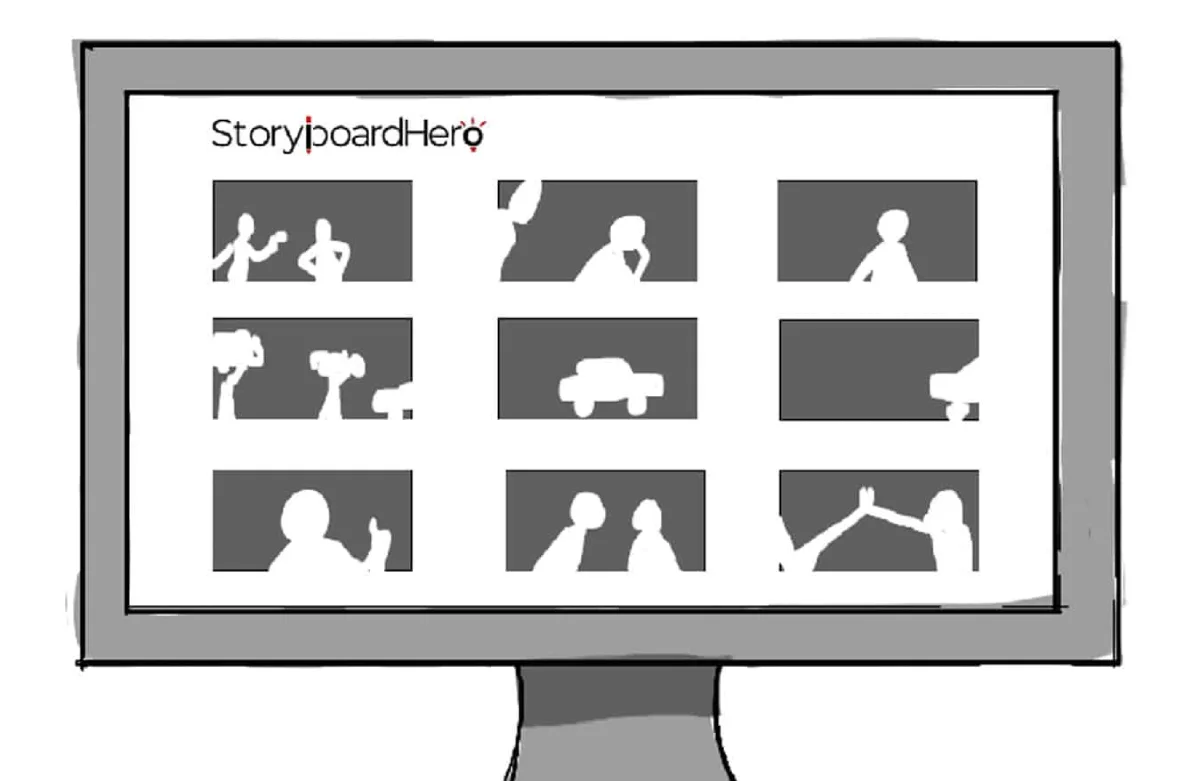
Check Price & TryStoryboard Hero for Free
Core AI Storyboard Generation
The foundation of Storyboard Hero lies in its advanced AI capabilities, which automate and enhance the most time-consuming aspects of storyboarding.
AI-Powered Script Generation (Structured scripts with voice-over, camera angles, transitions)
At the very beginning of any project, Storyboard Hero excels in AI-powered script generation. Users can input a simple brief, and the AI will rapidly produce a fully structured script. This isn’t just basic dialogue; the generated scripts are meticulously organized into scenes and shots, often including:
-
Detailed scene descriptions
-
Suggested voice-over text
-
Proposed camera angles (e.g., “wide shot,” “close-up”)
-
Indications for transitions between scenes (e.g., “cut to,” “fade in”)
This comprehensive script output provides a strong narrative backbone, saving countless hours typically spent on manual scriptwriting and breakdown.
Script to Storyboard Feature
The seamless script to storyboard feature is a cornerstone of Storyboard Hero. Once a script is generated or imported, the platform automatically translates each scene and shot into individual storyboard panels. This instantaneous visual representation allows creators to immediately grasp the flow and pacing of their narrative, facilitating quick adjustments and iterations.
AI Image Generation (Standard and Premium sketches, various styles)
Central to the visual output is AI image generation. Storyboard Hero offers various options for visual styles to match diverse project needs:
-
Standard sketches: Quick, basic visual representations for rapid ideation.
-
Premium sketches: Higher quality, more detailed images for refined storyboards.
-
Various styles: Users can select from a range of artistic styles such as pencil sketch, comic book, anime, or photorealistic, ensuring the visuals align with the project’s aesthetic. The AI interprets the script’s textual descriptions to create images that visually articulate the scene’s content, character actions, and overall mood.
Visual Storytelling Enhancements
Beyond basic generation, Storyboard Hero incorporates intelligent features to elevate the quality and consistency of the visual narrative.
Character Consistency Across Frames
One of the most critical challenges in AI-generated visuals is maintaining character consistency. Storyboard Hero addresses this directly. Users can define characters with precise descriptions (e.g., “a young woman with long, dark hair, wearing a red jacket”). By consistently including these defining features in scene prompts, the AI is guided to generate images where characters retain their appearance throughout the storyboard, ensuring a seamless and believable visual flow. The platform also offers options to manage and refine character appearances within the interface.
Camera Angle and Shot Type Suggestions
To further enhance the professional quality of storyboards, Storyboard Hero provides intelligent camera angle and shot type suggestions. Based on the script’s action and dialogue, the AI recommends appropriate camera perspectives (e.g., “extreme wide shot” for establishing, “medium shot” for conversation) and shot types, helping creators visualize the cinematic language of their project.
Detailed Shot Settings (Type, Perspective, Focus, Lighting, Movement)
For filmmakers and advanced users, the platform offers granular control over detailed shot settings. This includes specifying:
-
Type: e.g., close-up, wide shot.
-
Perspective: e.g., low angle, high angle.
-
Focus: e.g., shallow depth of field.
-
Lighting: e.g., dramatic, natural, high-key.
-
Movement: e.g., pan, tilt, tracking shot.
These precise controls enable a high level of pre-visualization, allowing creators to plan every visual nuance of their production.
Collaboration and Feedback Tools
Understanding the collaborative nature of visual production, Storyboard Hero integrates features to facilitate team and client interaction.
Shareable Storyboard Links
Users can easily generate shareable storyboard links, allowing team members, clients, or stakeholders to view the storyboard online without needing to download any software. This simplifies the review process and promotes quick feedback.
Commenting Features
Built-in commenting features enable reviewers to leave specific notes or feedback directly on individual storyboard panels. This centralized feedback system streamlines communication, ensuring all revisions are clearly tracked and addressed.
Team and Client Management
For agencies and production houses, features for team and client management allow for organized project sharing, access control, and efficient communication within the platform, ensuring everyone involved is on the same page.
Export and Publishing Options
Once a storyboard is complete, Storyboard Hero provides versatile options for exporting and publishing.
Exporting PDF Storyboards with Custom Branding
A highly valued feature is the ability to export PDF storyboards with custom branding. This allows businesses to include their logo and contact information on the final document, presenting a professional and cohesive brand image to clients and partners.
Exporting to PowerPoint, MP4 Video
Beyond PDFs, Storyboard Hero supports exporting storyboards to other popular formats, such as PowerPoint for presentations, and even generating MP4 videos of the storyboard, providing an animatic-like preview of the project’s flow.
Generating a Video from Your Storyboard
Taking it a step further, the platform can often generate a video from your storyboard, complete with AI-generated voice-overs (per scene or for the entire video), and the option to add custom music or voice-over tracks. This capability transforms a static storyboard into a dynamic preview of the final production.
Other Useful Features (e.g., Multiple Language Support, Versioning, Express Mode)
Storyboard Hero continuously evolves with additional functionalities to enhance user experience:
-
Multiple language support: Catering to a global user base, the platform often supports script generation and interface in various languages.
-
Versioning: Critical for tracking progress, versioning allows users to save different iterations of their storyboard, enabling easy comparison and rollback to previous designs.
-
Express Mode: For rapid prototyping, an “Express Mode” allows for even faster generation of concepts and visuals, ideal for quick brainstorming sessions or preliminary pitches.
These comprehensive features position Storyboard Hero as an indispensable tool for anyone involved in visual content creation, driving efficiency and enhancing creative output in the pre-production phase.
Storyboard Hero Pricing: Plans, Cost, and Value
Understanding the investment required for advanced pre-visualization tools is crucial for video agencies, filmmakers, content creators, and game developers. Storyboard Hero offers a flexible pricing structure designed to cater to diverse needs, from individual creators to large production houses. This section outlines the various plans, their costs, and the value they provide.

Check Price & TryStoryboard Hero for Free
Overview of Storyboard Hero’s Pricing Plans
Storyboard Hero typically structures its offerings across several tiers, often labeled similarly to:
-
Solo: Geared towards individual freelancers, small content creators, or those with infrequent project needs.
-
Starter: Ideal for small teams or burgeoning agencies that require more resources and collaborative features.
-
Advanced/Pro Unlimited: Designed for established production companies, larger agencies, or professionals with a high volume of complex projects.
-
Enterprise/Production Unlimited: Tailored for large-scale operations, studios, or organizations requiring custom solutions, dedicated support, and potentially unlimited usage.
Each plan is carefully crafted to balance features with cost, ensuring that users can select an option that aligns with their specific workflow and budget.
Details of the Free Trial/Demo
While some platforms may offer a limited free plan, Storyboard Hero typically provides a free trial (often 7 to 14 days) or a limited “Trial” plan to allow prospective users to experience its core functionalities. This trial is an excellent opportunity to:
-
Generate concepts and scripts: Test the AI’s ability to create narratives from your briefs.
-
Create basic storyboards: See how the “script to storyboard” feature works and visualize scenes.
-
Experiment with AI image generation: Evaluate the quality and versatility of the AI-generated visuals.
-
Understand the workflow: Get a feel for the user interface and overall efficiency of the tool.
This hands-on experience is vital for determining if Storyboard Hero meets your specific project requirements before committing to a paid subscription. Some trial versions might have limitations on the number of projects, story length, or types of images generated.
Understanding Paid Plan Tiers and Credit System
Storyboard Hero’s paid plans operate on a subscription model, often incorporating a credit system for certain premium features. This system ensures flexibility and cost-effectiveness, allowing users to pay for what they truly need.
Key aspects of the credit system and plan tiers often include:
-
Unlimited Concepts & Scripts: Most paid plans, even at lower tiers, provide unlimited concepts and scripts. This means you can generate as many narrative ideas and detailed scripts as you need without incurring extra charges based on word count. This is a significant advantage for brainstorming and iterative script development.
-
Unlimited Storyboards and Frames: Similarly, the ability to create unlimited storyboards and frames is often a standard feature across paid plans, allowing extensive visual planning without constraints on the number of panels.
-
AI Image Generation Credits: While standard AI image generation (e.g., basic sketches) might be unlimited, premium sketch credits are usually allocated based on the plan tier. For instance, a Solo plan might include 50 premium AI images per month, while an Advanced plan could offer 600 or more. These credits are typically consumed when generating higher-quality or more refined AI images.
-
Hand-Drawn Image Credits (Optional): For projects demanding bespoke artistic quality or perfect character consistency, Storyboard Hero offers the option to request hand-drawn images from professional sketch artists. These are typically purchased separately as “credits” (e.g., 10 credits for $99) and are used for each custom image or revision. These credits often do not expire as long as your subscription is active, providing flexibility for specific artistic needs.
-
Other Features: Plans often differ in terms of user seats (for team collaboration), guest commenting capabilities, password protection for shared links, and the ability to export as MP4 video or generate full videos from storyboards. Higher tiers generally include more advanced features and greater limits.
Comparing Plan Features and Costs
When evaluating Storyboard Hero’s pricing, it’s essential to compare not just the monthly cost but also the value offered within each tier.
-
Annual vs. Monthly Billing: Storyboard Hero typically offers significant discounts for annual billing compared to monthly subscriptions. Opting for an annual commitment can lead to substantial savings, often equivalent to getting several months free. For example, an annual plan might be 25% cheaper than paying month-to-month. This is an attractive option for businesses and creators with ongoing needs for storyboarding.
-
Team vs. Individual Needs: The number of user seats is a crucial differentiator. Solo plans are for single users, while Starter and Advanced plans scale up the number of users who can collaborate within the platform. This is a vital consideration for video agencies and production teams.
-
Credit Quotas: Pay close attention to the allocated premium image credits. If your projects heavily rely on high-quality AI visuals, a higher-tier plan with more premium credits might be more cost-effective in the long run than purchasing extra credits frequently.
-
Export Capabilities: Ensure the chosen plan includes the necessary export options (PDF with custom branding, MP4 video generation) that align with your delivery requirements for clients or internal presentations.
By carefully assessing your project volume, team size, and specific visual requirements, you can select the Storyboard Hero plan that provides the optimal balance of features, flexibility, and cost-efficiency for your pre-production workflow.
Storyboard Hero Pros and Cons: A Balanced Evaluation
Storyboard Hero represents a significant leap forward in pre-visualization, offering compelling advantages for visual media professionals. However, like any advanced tool, it also comes with certain limitations. A balanced understanding of both its strengths and weaknesses is essential for maximizing its utility.
Advantages of Using Storyboard Hero
The adoption of Storyboard Hero can bring about transformative improvements in the workflow of video agencies, filmmakers, content creators, and game developers.
Significant Time and Cost Savings
One of the most compelling benefits is the significant time and cost savings it provides. Traditional storyboarding, often involving manual drawing or expensive freelance artists, can be a lengthy and costly endeavor. Storyboard Hero drastically cuts down on this time, generating scripts and visual panels in minutes or hours, rather than days or weeks. This efficiency translates directly into reduced labor costs and faster project turnaround, allowing teams to take on more projects or meet tighter deadlines.
Streamlined Workflow
Storyboard Hero offers a streamlined workflow by integrating multiple pre-production steps into a single platform. The seamless transition from idea generation to scriptwriting, and then to visual storyboarding, eliminates the need for switching between various software or manual processes. This cohesive environment fosters efficiency and reduces potential bottlenecks in the creative pipeline.
Enhanced Creativity and Ideation
Far from limiting creativity, Storyboard Hero enhances creativity by acting as a powerful brainstorming partner. The AI’s ability to rapidly generate diverse concepts, scripts, and visual interpretations allows creators to explore numerous possibilities quickly. This iterative process fosters new ideas and helps refine existing ones, pushing the boundaries of initial creative visions.
Integrated Script-to-Visuals
The core strength of Storyboard Hero lies in its integrated script-to-visuals capability. It automates the often tedious task of translating written narrative into visual frames, including suggestions for camera angles, transitions, and detailed shot settings. This direct conversion ensures a strong alignment between the script and the visual execution, making it easier to communicate the creative vision to all stakeholders.
Option for Hand-Drawn Images
Recognizing the nuances of artistic expression, the option for hand-drawn images provides a crucial bridge between AI efficiency and human artistry. For scenes requiring unique artistic styles, intricate details, or perfect character consistency that AI might struggle with, the ability to commission professional artists within the platform ensures that no creative vision is compromised. This hybrid approach offers the best of both worlds.
Robust Collaboration Tools
Effective collaboration is vital in media production, and Storyboard Hero excels with its robust collaboration tools. Features like shareable storyboard links, integrated commenting functionalities, and team/client management systems facilitate seamless feedback loops and real-time communication. This ensures all team members and clients are aligned, minimizing misunderstandings and accelerating approval processes.
User-Friendly Interface
Despite its advanced capabilities, Storyboard Hero typically boasts a user-friendly interface. Its intuitive design makes it accessible even for those without extensive technical or design backgrounds, allowing a broader range of professionals to leverage its power for visual planning.
Disadvantages and Limitations
While powerful, Storyboard Hero, as an AI-powered tool, does have certain inherent disadvantages and limitations that users should be aware of.
AI Limitations for Complex Visuals and Actions
A primary limitation stems from AI limitations for complex visuals and actions. While AI is rapidly improving, it can sometimes struggle with highly nuanced emotional expressions, intricate physical actions, or very specific, abstract visual metaphors. The AI-generated images, while often good, might not always perfectly capture the subtle emotional depth or the exact artistic flair a human artist would infuse into a complex scene. This can necessitate manual adjustments or the use of hand-drawn image options.
Learning Curve for Advanced Features
While the basic functions are user-friendly, mastering the learning curve for advanced features can take time. To get the most precise and refined outputs, users may need to learn effective prompting techniques for the AI, understand how to manipulate detailed shot settings, and navigate the various customization options. Achieving highly specific visual results often requires a deeper understanding of the tool’s capabilities and how to guide the AI effectively.
Reliance on AI for Initial Output
A significant aspect of using Storyboard Hero is the reliance on AI for the initial output. While this is a major advantage for speed, it means that the starting point for your storyboard is dictated by the AI’s interpretation of your input. If the initial AI-generated script or images are far off from the user’s vision, it can require more iterative editing and regeneration, potentially consuming more time than anticipated for very specific or unique concepts.
Cost for High Usage or Premium Sketches
While the basic plans offer good value, the cost for high usage or premium sketches can add up. Users with very high volumes of projects, or those who frequently require premium AI-generated images or opt for hand-drawn images, might find the monthly or annual subscription costs, coupled with credit purchases, becoming a significant expenditure. It’s crucial for users to assess their projected usage against the different pricing tiers to ensure cost-effectiveness.
In conclusion, Storyboard Hero offers immense value in accelerating and enhancing the pre-visualization process for a wide range of professionals. Its efficiency, integration, and collaborative features are undeniable advantages. However, users should approach it with an understanding of AI’s current limitations, particularly for highly intricate visual details, and factor in the potential costs associated with extensive premium usage or bespoke artistic requirements.
Conclusion
Storyboard Hero stands at the forefront of AI-powered pre-visualization, offering a powerful, efficient, and increasingly sophisticated solution for modern visual storytelling. By seamlessly integrating AI-driven script generation with automated visual storyboarding, alongside options for human artistic refinement, it significantly reduces the time and cost associated with traditional methods.
While AI technology continues to evolve and refine its capabilities for complex visuals, Storyboard Hero’s continuous updates, particularly in character consistency and image quality, underscore its commitment to empowering filmmakers, video agencies, content creators, and game developers. Investing in Storyboard Hero means embracing a future where creative concepts are brought to life faster, communication is streamlined, and the pathway from idea to final production is clearer and more efficient than ever before.
Frequently Asked Questions (FAQ) About Storyboard Hero
Storyboard Hero is a cutting-edge AI-powered pre-visualization tool that streamlines the creation of storyboards for various visual media projects. Here, we address some of the most common questions to help you understand its capabilities and how it can benefit your workflow.
Your Questions on Storyboard Hero AI, Answered
Is Storyboard Hero free? Is there a free trial/demo? Storyboard Hero typically offers a free trial, usually for 7 days, allowing users to explore its core features without a credit card. While there might not be a completely free, perpetual plan with extensive features, the trial provides a valuable opportunity to test the AI’s script generation, storyboard creation, and basic image generation capabilities to see if it fits your needs. Some providers may also have a limited “Free” tier with restrictions on projects, pages, or shots.
Can Storyboard Hero generate entire scripts or just storyboards? Yes, Storyboard Hero can generate entire scripts based on your brief or ideas. It goes beyond just visuals, structuring narratives into scenes and shots, and often includes elements like scene descriptions, suggested voice-over text, camera angles, and transitions. This comprehensive script forms the foundation for the automatically generated visual storyboard. You can also import your own formatted scripts (e.g., PDF or CSV), and the AI will help break them down into visual scenes.
How accurate is Storyboard Hero’s AI image generation? Can it maintain character consistency? Storyboard Hero’s AI image generation is highly capable, interpreting textual descriptions to create visual representations of your scenes. It offers various styles, from sketches to photorealistic. A key feature is its ability to maintain character consistency across frames. By providing detailed character descriptions (e.g., “a young woman with long, dark hair, wearing a white shirt and black skirt”) and consistently using these descriptions in scene prompts, the AI is guided to render characters with consistent appearances throughout your storyboard. The platform also includes a “Character Editor” where you can refine character looks and even upload your own reference images for the AI to follow. For the most precise results, especially for character consistency, using “Premium images” or the optional hand-drawn images feature is often recommended.
What visual styles or artistic elements can Storyboard Hero incorporate? Storyboard Hero is designed to be versatile in its visual output. It typically offers a range of visual styles for AI image generation, including:
-
Minimalistic Sketch (Monochrome)
-
Detailed Sketch (Monochrome or Colored)
-
Photorealistic (Colored)
-
Cinematic (Monochrome or Colored)
-
Other stylized options like Comic Book or Anime. The platform also allows for the integration of custom art styles, where users can upload an image representing their desired style, and the AI will attempt to replicate it across the storyboard. This flexibility ensures your storyboard’s aesthetic aligns with your project’s genre and mood.
Is the content generated by Storyboard Hero original? Who owns it? The content generated by Storyboard Hero, based on your inputs, is generally considered original in its AI-generated form. Regarding ownership, the terms of service typically state that users retain their rights to any content they submit, post, or display on or through the service. This means the creative output derived from your prompts and data is yours. Storyboard Hero’s core platform and its underlying AI technology remain the exclusive property of the company and its licensors. Always refer to Storyboard Hero’s specific Terms of Use for the most accurate and up-to-date information on content ownership and usage rights.
Is Storyboard Hero safe and secure for my project data? Storyboard Hero takes security seriously, implementing measures to protect your project data and personal information. Like all online platforms, it relies on industry-standard security protocols. Their privacy policy outlines how personal information is collected, used, and protected. While no method of transmission over the internet is 100% secure, Storyboard Hero strives to use commercially acceptable means to safeguard your data. For sensitive projects, it’s always advisable to review their privacy policy and terms of service thoroughly to understand their data handling practices.
How to get started with Storyboard Hero? How do I build my first storyboard? Getting started with Storyboard Hero is designed to be straightforward. Here’s a general outline of how to build your first storyboard:
-
Register an Account: Visit the Storyboard Hero website and sign up for an account, taking advantage of any free trial offers.
-
Create a New Storyboard: Once logged in, navigate to the “Storyboards” section and select “New Storyboard.”
-
Input Your Project Brief: In the “Project Brief” tab, provide a clear description of your video concept, story, or project idea. The more detailed your brief, the better the AI can understand your vision.
-
Generate a Concept/Script: Allow the AI to generate a script and initial concepts based on your brief. You’ll receive a structured script divided into scenes.
-
Convert to Storyboard and Generate Images: Approve the concept, and the “script to storyboard” feature will automatically translate your script into visual panels. The AI will generate images for each scene in your chosen style.
-
Review and Refine: Review the generated storyboard. You can make edits to the script, regenerate images for specific panels, adjust shot settings (camera angle, focus, lighting), and ensure character consistency.
-
Collaborate (Optional): If working with a team, use the shareable links and commenting features to gather feedback.
-
Export: Once satisfied, export your storyboard in your desired format (e.g., PDF with custom branding, MP4 video).
Storyboard Hero aims to make the process intuitive, and you’ll typically find tutorials or a user guide within the platform to walk you through each step.
Featured AI Tools

Submagic makes your short-form videos captivating with AI captions, b-rolls, and smart edits. Save time and grow your social media reach effortlessly.

Create AI videos from text, photos, audio, slides, and more using KreadoAI’s media assets, effects, and stickers. Instantly turn your ideas into stunning

Transform your ideas into stunning videos with our AI video generator. Easy to use Text to Video editor featuring lifelike voiceovers, dynamic AI video clips.

Elevate your content with Boolvideo: Turn your resources into engaging videos easily! Drive leads, boost sales, amplify reach with the AI Video Generator.